
Understanding SMPhish: The basics
What is SMPhish? Assessing user vulnerability with SiberMate simulated phishing software.
What is SMPhish?
SMPhish is SiberMate intuitive cloud-based phishing software that enables you to quickly assess user vulnerability towards real-world phishing attacks.
With SMPhish, you're able to identify which users are susceptible to both common forms of phishing and highly-targeted forms of 'spear phishing'.
With SMPhish, you can:
- Accurately determine user vulnerability towards phishing
- Identify users that need urgent phishing awareness training
- Reduce the likelihood of users falling victim to future phishing attacks
- Develop a security-minded culture in your organization
Key features of SMPhish:
- Automated phishing (AutoPhish): SMPhish can deploy regular phishing simulations with our new 'AutoPhish' feature - allowing you to assess user performance over time.
- Realistic template library: Discover a library of phishing emails and landing pages impersonating trusted organizations, banks and more.
- Create custom emails and landing pages: Craft your own simulated phishing campaigns, impersonate internal communications and more.
- Inline training: Automatically send out additional training content from your Course Library to users who become compromised in phishing simulations.
- Real-time tracking: See how your users interact with your simulations in real-time, giving you a key insight in how users will perform during a real attack.
- In-depth reporting: View the individual performance of your users or assess your organization in departments or as a whole - with custom reporting.
Key features of SMPhish
Automated phishing (AutoPhish)
When the AutoPhish setting is enabled, SMPhish will automatically deploy phishing simulations based on a frequency set by your SiberMate admin (every X weeks).
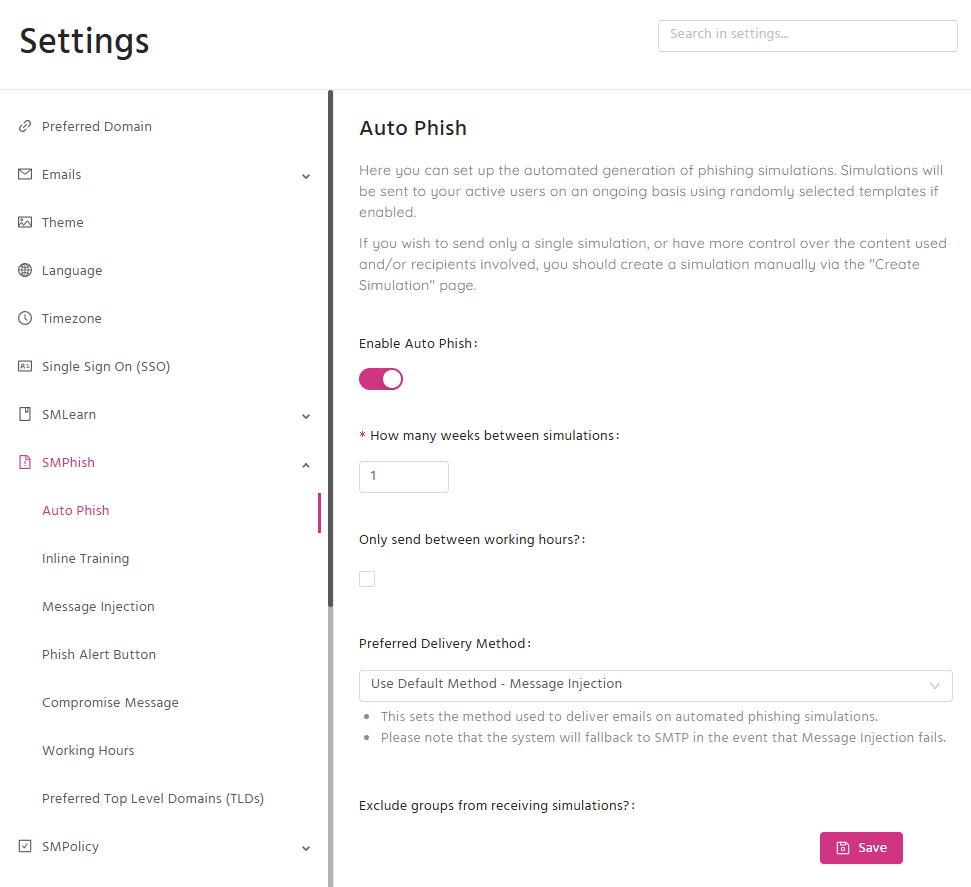
You're also able to to choose which templates you would like to exclude (both custom or pre-made), what groups of users you would like to exclude, and whether users should only receive simulations during work hours.
Auto Phish does not currently support phishing templates with attachments.
Realistic template library
SMPhish comes packed with an extensive library of pre-made templates, allowing you to quickly deploy realistic campaigns with ease.
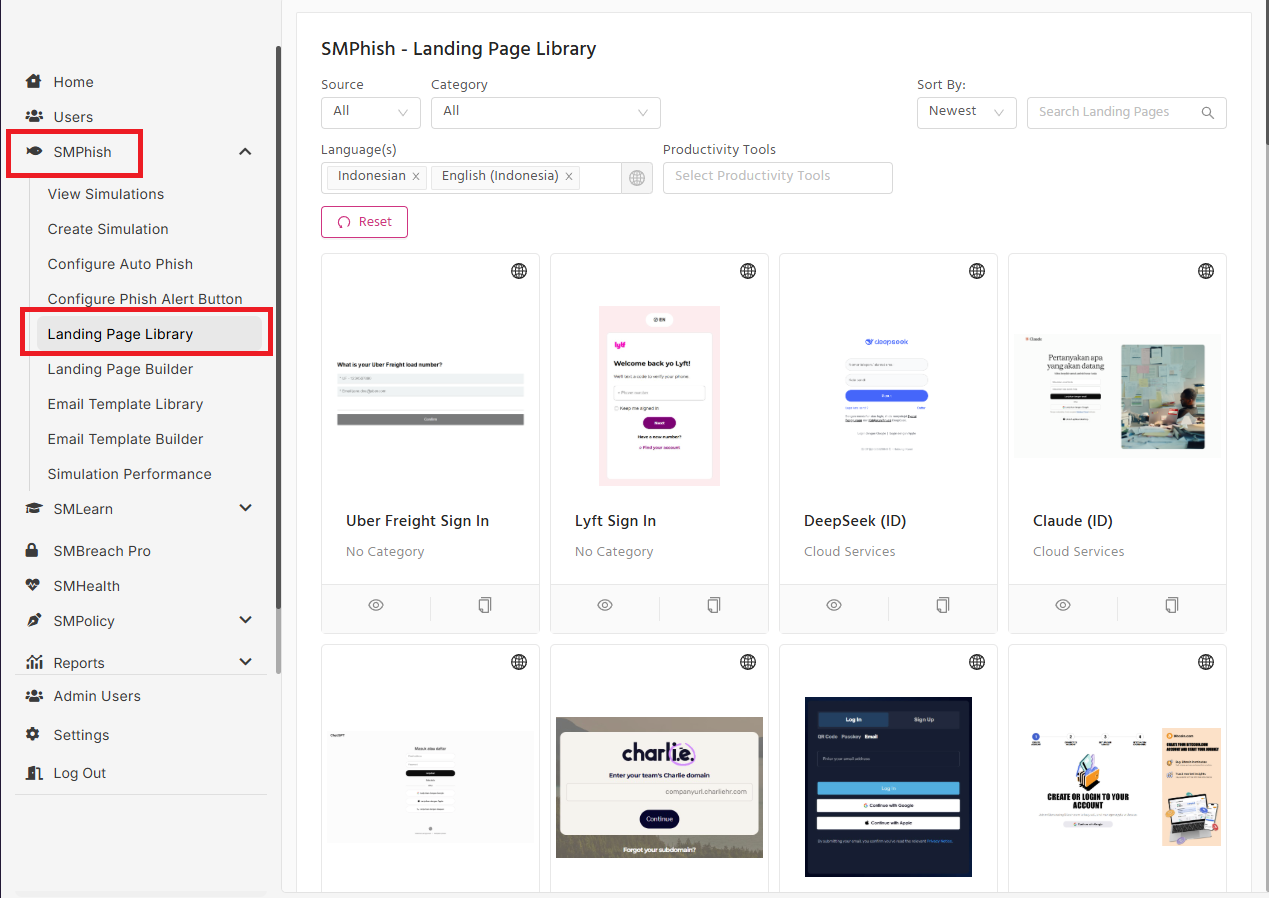
These templates impersonate the likes of Microsoft, Amazon, Google and many more.
Once selected, you'll be able to tweak certain settings in your chosen template (e.g. subject line, sender address) if you wish.
Create custom emails and landing pages
Alongside your pre-made SMPhish templates, you can create your own emails and landing pages and add them to your personal template library.
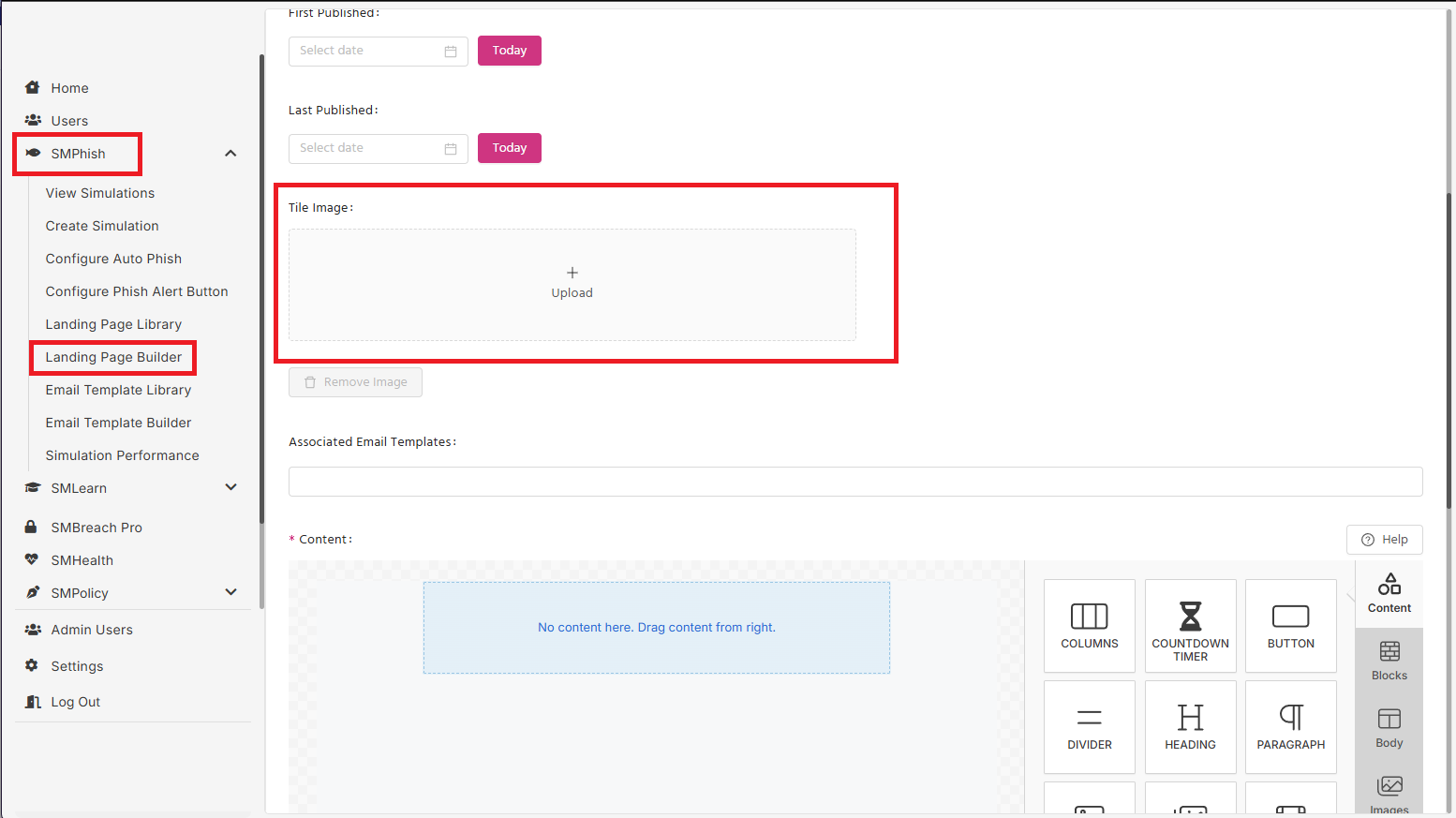
These can be used to test your users with targeted phishing attacks that impersonate employees within your company (an increasingly prevalent form of phishing).
Inline Training
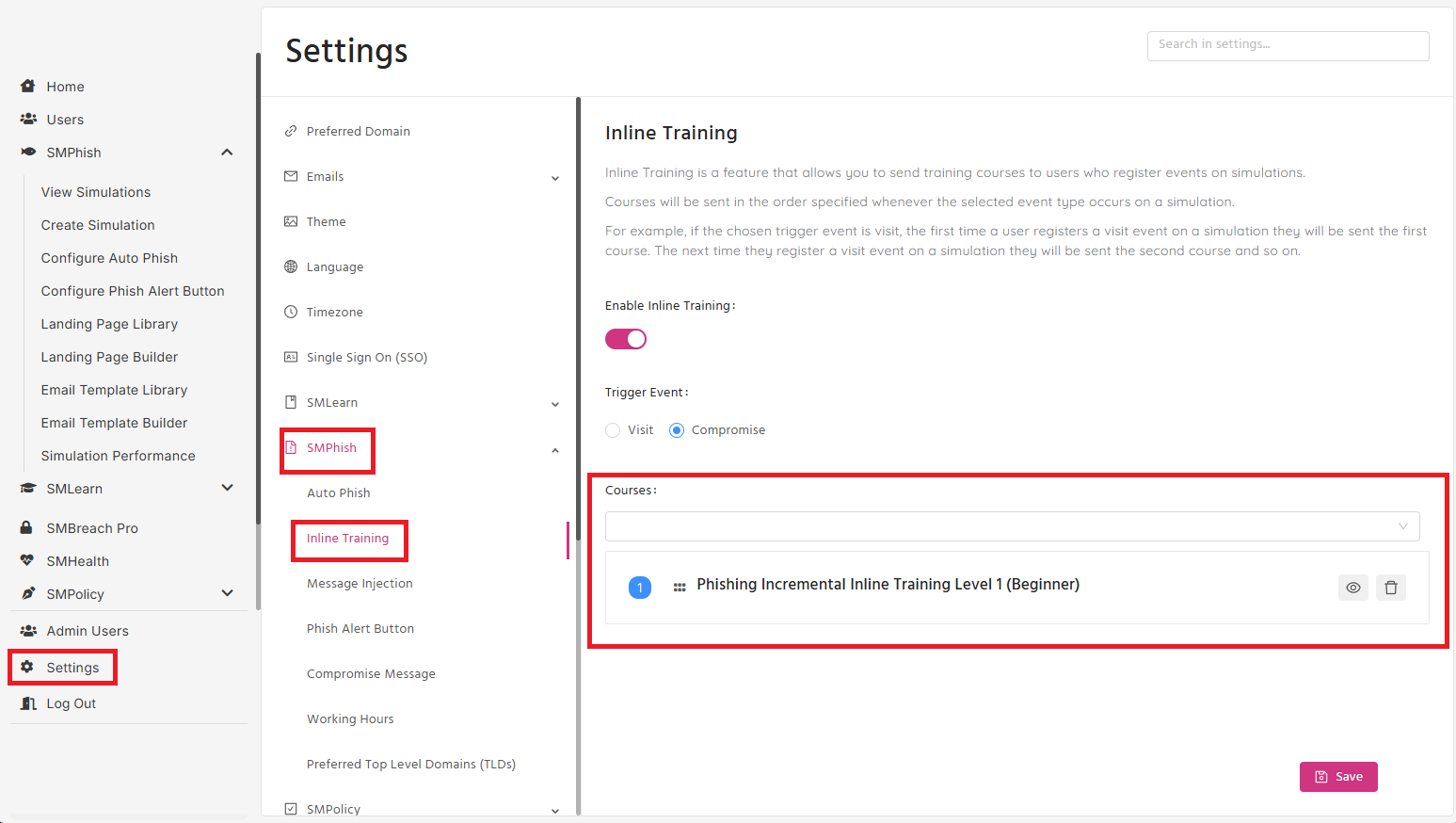
You can choose to automatically enroll users who become compromised in phishing simulations onto additional training. We recommend you use the Phishing Incremental Inline Training courses which are specifically built for this purpose:
- Phishing Incremental Inline Training Level 1
- Phishing Incremental Inline Training Level 2
- Phishing Incremental Inline Training Level 3
However, choose any SMLearn module you wish - including custom ones you've created yourself.
You can customize the Inline Training courses by selecting any of the courses from the dropdown menu under Settings > SMPhish > Inline Training.
Real-time tracking
Once you have launched a SMPhish simulation, you'll be able to view the real-time performance of your users, including how long it takes for them to perform each action (i.e., open, click, compromise).
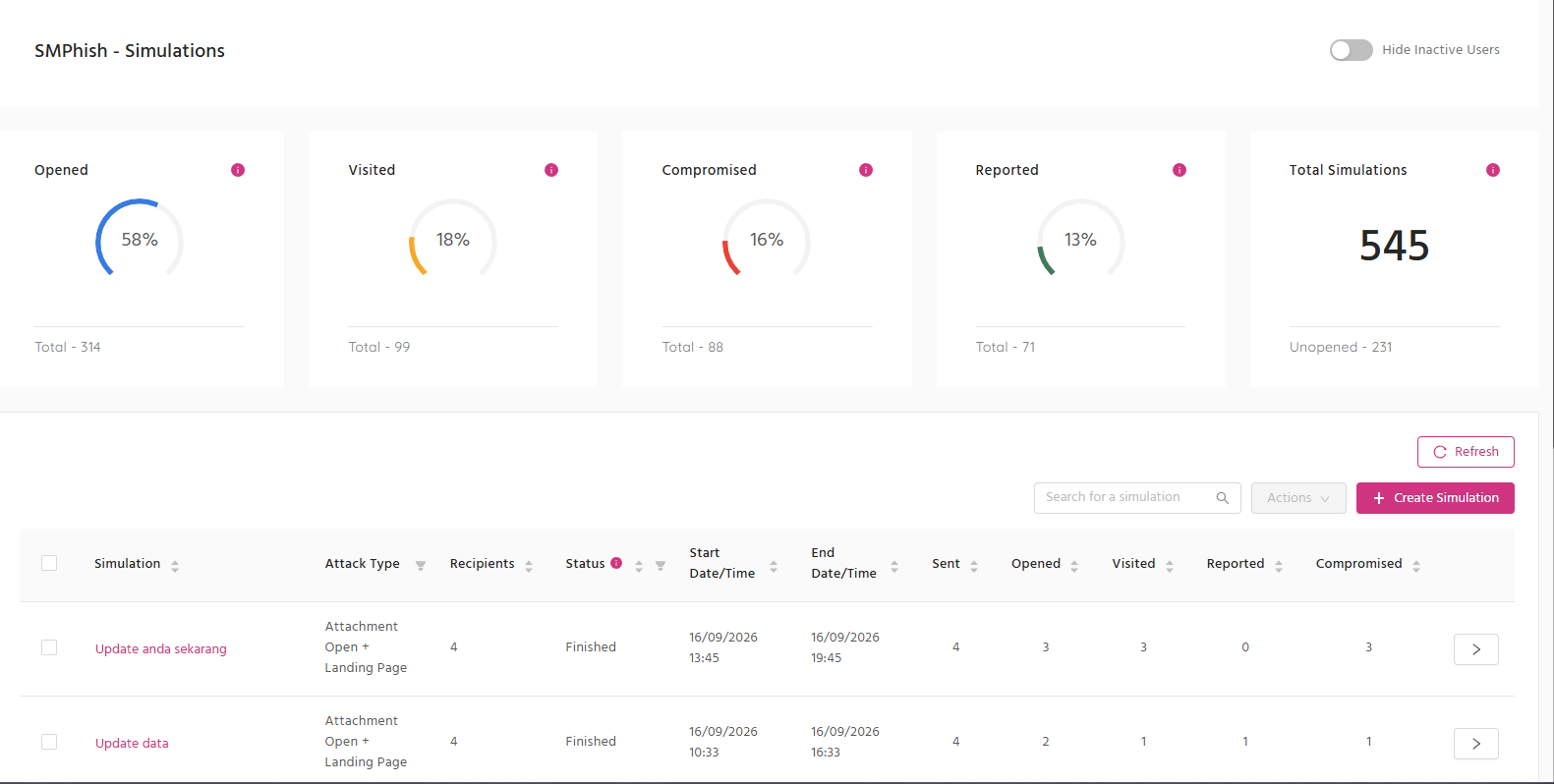
In-depth reporting
From your 'Simulation Performance' in the 'Reports' sections, you can view and filter different metrics for your simulations.
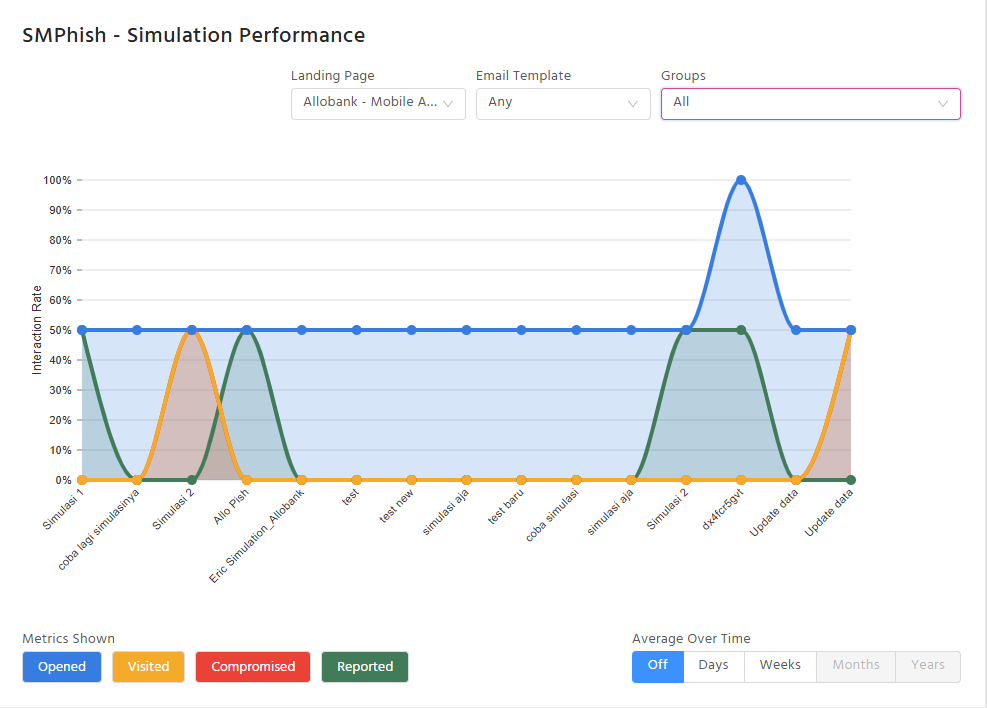
You can filter by groups, templates, and the average opened, clicked and compromised rate over time.